Concepts

Three things to learn.

Once you know what a Remote, a Check and a Status rule are, you know the platform.

Remote

A lightweight agent installed on a machine you want to watch. Windows or Linux. Sends a heartbeat every few minutes.

Check

A monitoring task assigned to a Remote. Has a type, an interval, parameters and one or more status rules.

Status rule

The logic that turns a measurement into a colour. Compose conditions with temporal windows to avoid false alarms.

Check types

Seven built-in checks plus custom channels.

Every check produces one or more numeric channels. Status rules compare those channels against thresholds.

CPU

Total and per-core utilisation. Defaults: Unstable > 50 %, Critical > 80 %.

Memory

RAM usage (%) and free bytes. Defaults: Unstable > 80 %, Critical > 90 %.

Disk

Per-mount usage and free space. Point at C:, /, /dev/sda1 - wherever you store things.

Process

Counts running processes matching an optional regex. Critical if zero, by default.

HTTP / HTTPS

Status code, response time, body length - plus custom channels extracted via JSONPath, XPath or regex.

Folder

Matching file count and total size. Optional filename regex.

File

Exists or doesn't. Useful for sentinel files, deployment markers, lockfiles.

Custom channels

Extract values from an HTTP response and use them in status rules just like built-in channels.

Status rules

Conditions that read like English.

Each rule has a priority, a resulting status, and one or more conditions joined with AND. Rules are evaluated top-down; first match wins.

  • Operators: > < = != between contains matches (regex), and their negations.
  • Temporal: require a breach N times in the last M measurements.
  • Per-channel: compare any built-in or custom channel.
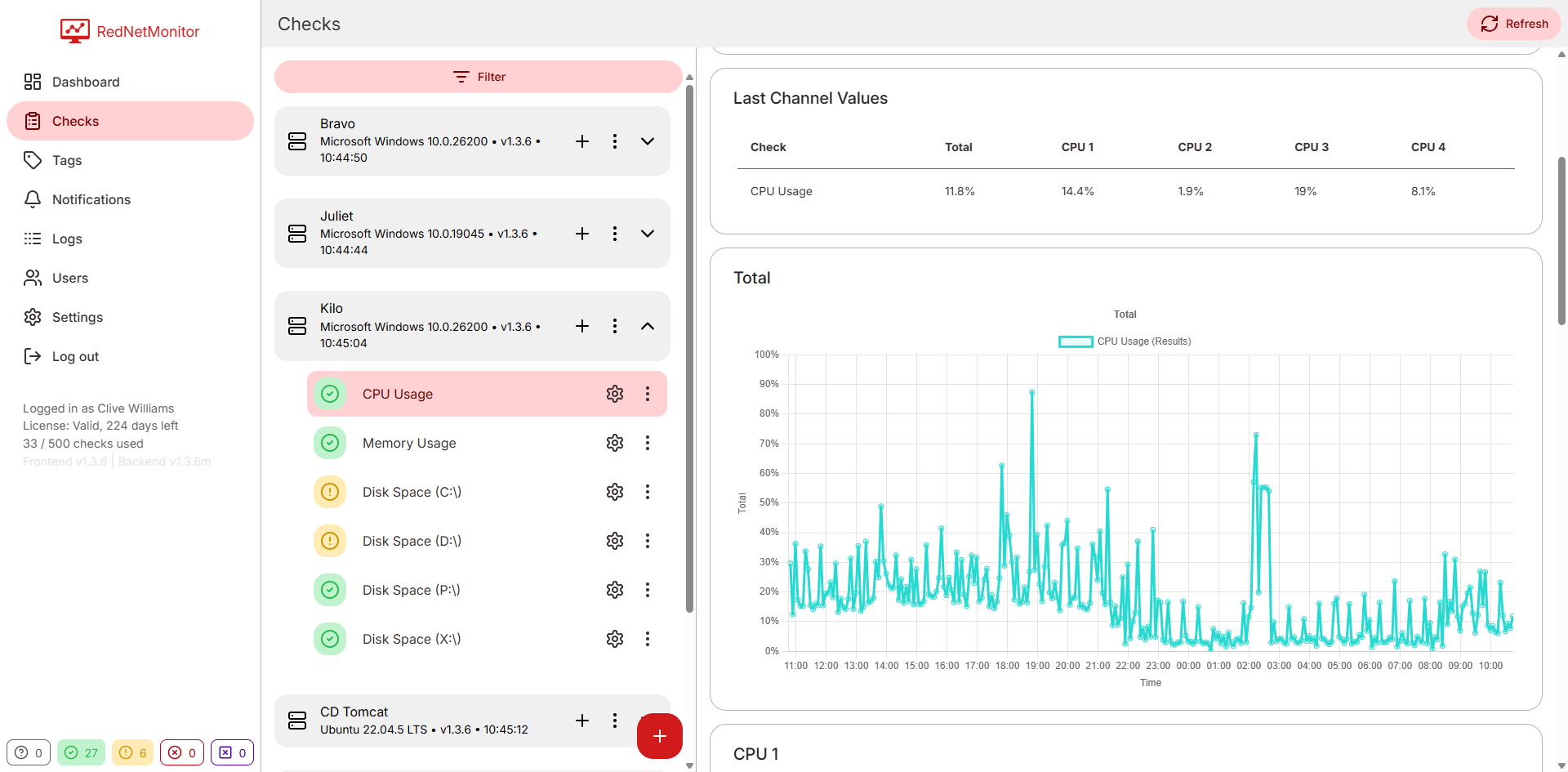
CPU check rules and channel detail.

Email (SMTP)

Bring your own SMTP server - Postmark, SES, Office 365, an internal relay, anything. A Send test email button lives next to the form so you can verify before relying on it.

Sent to users in the right notification role (SuperAdmin by default).

Slack

Paste an incoming webhook URL, hit Send test message, done. Messages include a severity indicator and a description of the alert.

No Slack app to install - just a webhook.

Per-user mutes

Each user maintains their own mute list. Muting never stops monitoring - it just silences your notifications. Mute at three levels:

Per check

Silence one noisy check until it's fixed.

Per Remote

Hush a whole machine - useful during maintenance windows.

Per tag

Mute everything tagged "Staging" while you redeploy.

Admin

The boring (essential) bits.

Roles

SuperAdmin - full access. Admin - manage Remotes & Checks. User - read-only dashboard.

Logs

Filter by category (Auth, Remotes, Checks, Notifications, Licensing) and severity (Info, Warning, Error).

Backup & retention

Export configuration and history. Configure how long result data is kept.

Licensing

Self-hosted: paste a license key. Hosted: Stripe-managed subscriptions you upgrade in-app.

Databases

Self-hosted central server runs on SQLite, PostgreSQL, MySQL or SQL Server.

Real-time updates

Dashboard pushes status changes over a live connection. No polling, no flicker.

Try the full feature set free for 14 days.

Hosted trial, no credit card. Or download the self-hosted server and start in minutes.